
How it works
Three simple steps to effortless media collection — automated curation, branding, and delivery in one seamless flow.
Share your number
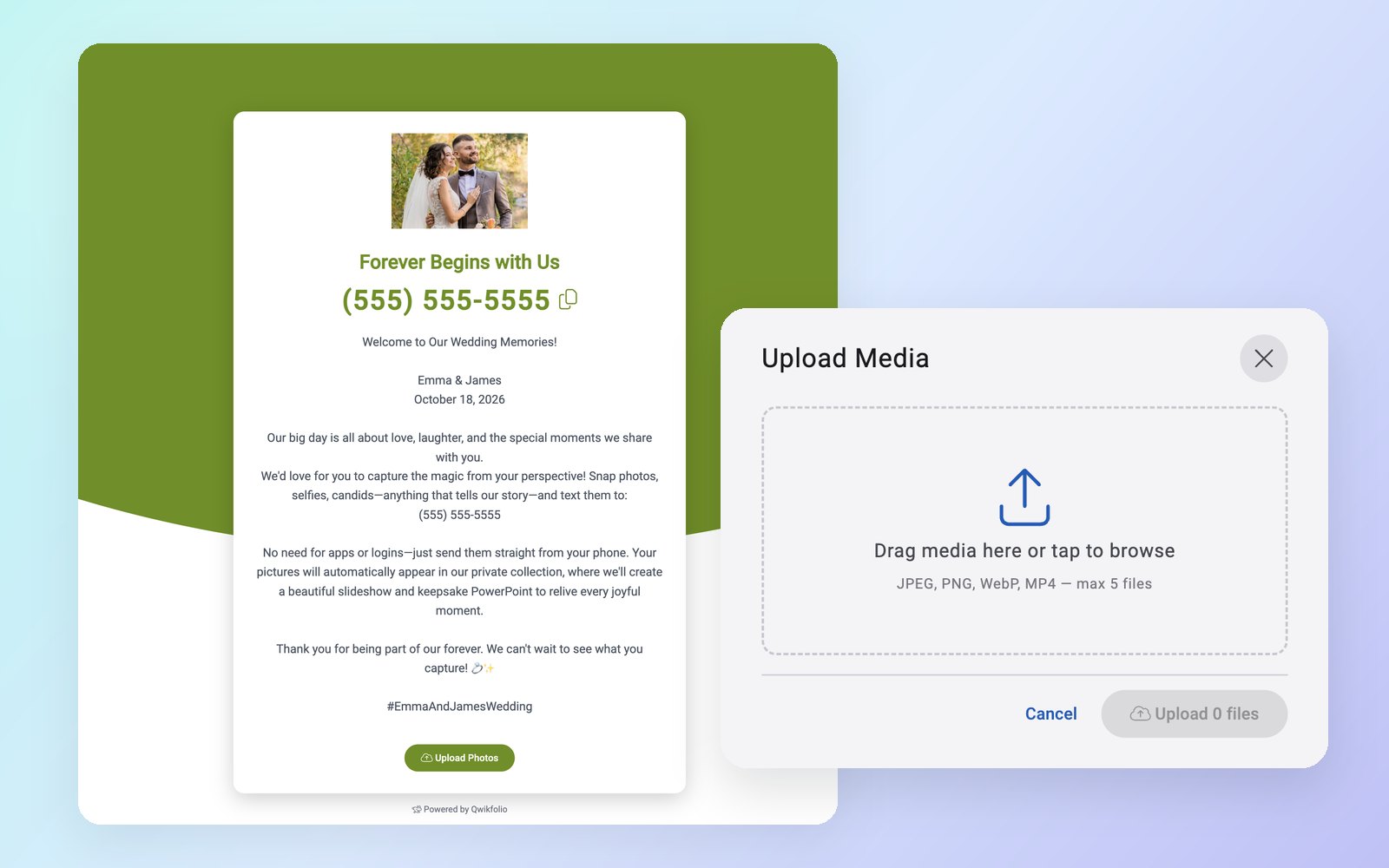
Claim a private phone number and Qwikfolio builds you a branded landing page to go with it — your logo, your colors, your instructions. Share the link on social media or by email, or print the QR code (generated in your brand color) on table cards, badges, programs, and signs.
Contributors just scan and text their photos, or upload photos and videos right from the landing page. Want to keep it to your team or family? Add an optional PIN.
Automated curation & instant enhancement
Let Qwikfolio handle the heavy lifting. The moment media arrives, our AI screens it, polishes it, and brands it — everything below happens automatically, in real time.
AI-Powered Safety
Every photo and video is screened across 11 content-safety categories — including text inside the image — and anything flagged is held for review.
Review Your Way
Approve flagged items yourself, or hand review to one trusted person who can approve from any device — no password needed.
Enhance & Frame
Clarity and color corrected automatically, with an optional fixed aspect ratio — 1:1, 4:3, 16:9, or 9:16 — for every image.
Instant Creative Filters
Text #bw, #sepia, #vivid, #warm, or #cool with a photo to apply a professional look.
Watermarking
Your mark added to every photo, in the corner you choose, automatically.
Auto Captioning
Your event or company name applied directly to every photo, top or bottom.
Smart-Stitch Layouts
Send photos together with #combine — or turn on auto-combine — and they merge into one collage or before-and-after.
Smart Video Highlights
AI finds the best six seconds of every uploaded video and trims it to fit seamlessly into your slideshows and presentations.
Searchable Gallery
AI describes every photo and reads the words in it, so the exact shot you need is always seconds away.

Relax and enjoy
Sit back and watch your collection come to life. Your slideshow, gallery page, website embeds, and TV screens all update automatically in real time — with your logo, optional background music, and a QR code on screen inviting the next photo.
For power users, Qwikfolio fits right into your existing workflow — signed webhooks push every approved item, with its AI description and message, straight into your website, CRM, or marketing tools.
Wrap up in a click
When it's over, everything is ready to keep, present, or hand off — and your number is ready for the next one.
1-Click PowerPoint
Every photo and video highlight in one presentation-ready deck, with your logo and captions.
Download All
The whole collection in a single zip, with the link emailed to you when it's ready.
Save & Reset
Move everything into an event folder, and the number starts fresh for your next event.
Watch Qwikfolio in 72 seconds
From a texted photo to the big screen — see the whole flow, start to finish.
No apps. No logins. Just texting.
Your contributors already know exactly how to use Qwikfolio — because it's just a text message. Any phone that can send a text can contribute photos, and photos and videos can be uploaded straight from your landing page. Every submission is processed, screened, and published in seconds.
Explore All FeaturesWhat happens to each photo and video?
Received → AI-screened → enhanced & branded (videos trimmed to their strongest six seconds) → published to your slideshow, gallery, embeds, webhooks, and the TV app. All in real time, all automatic.
Claim Your Private Number Now
Start collecting media in minutes. No apps for your contributors, no limits on what they send.
Get StartedGet in Touch
Questions about Qwikfolio? Send us a message below — we're here to help.